> ## Documentation Index
> Fetch the complete documentation index at: https://docs.superember.ai/llms.txt
> Use this file to discover all available pages before exploring further.
# 6. Try a workflow and its approvals
> Test a repeatable process, inspect its run, and resolve a structured wait.
Use a workflow when the process—not only the answer—must be repeatable, inspectable, versioned, or resumable.
 ## Do this
Choose **Show me** in the mission banner. The walkthrough asks you to name a real recurring outcome and then highlights the button that opens the resulting draft in Workflow Studio.
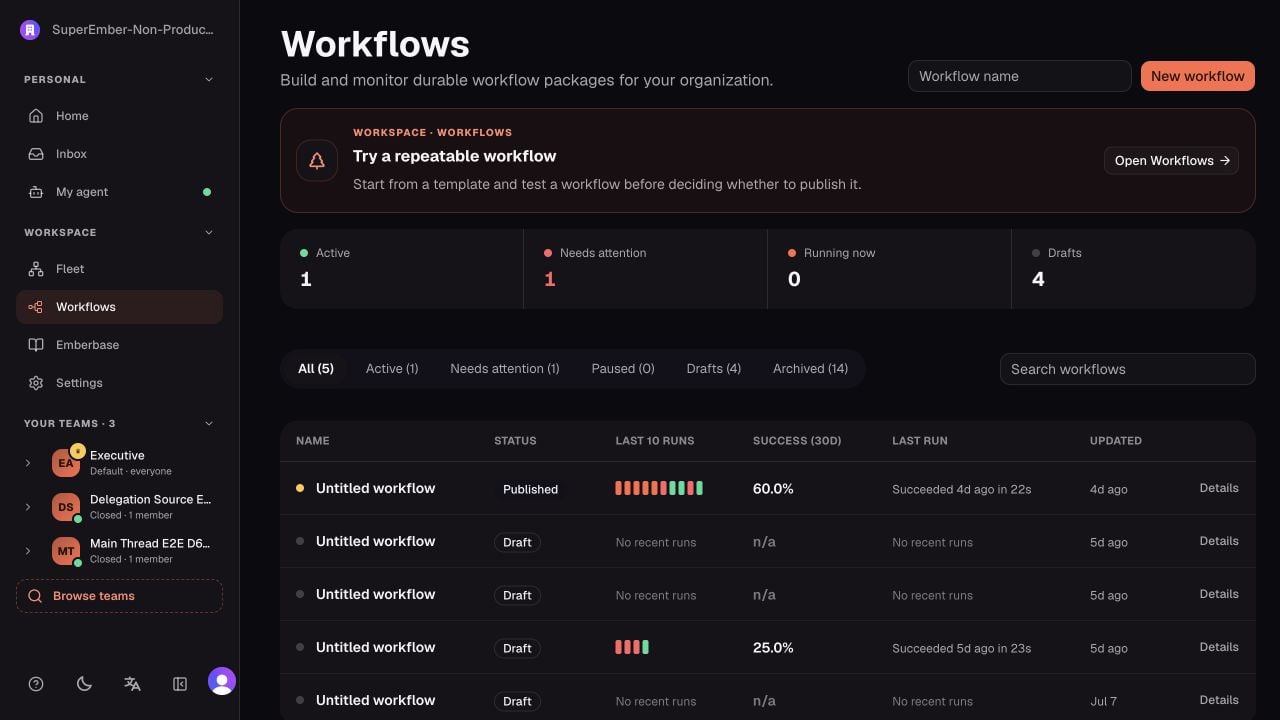
1. Open **Workflows**.
2. Start from a template or create a small draft.
3. Define the trigger, one useful action, and the expected output.
4. Add a human approval only where the process genuinely needs a decision.
5. Run a test before publishing.
6. Open the run and inspect its timeline, inputs, outputs, waits, and errors.
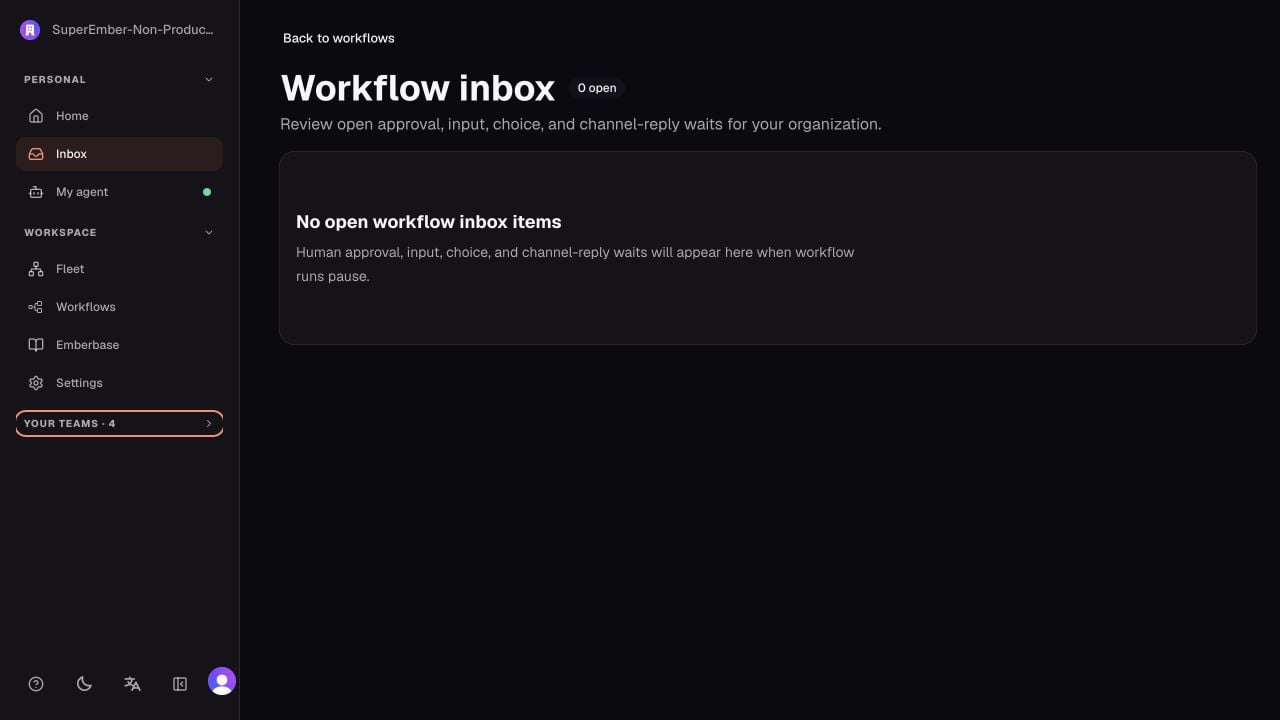
7. If it pauses, resolve the item from **Inbox** and confirm the same run continues.
## Direct delegation or workflow?
| Direct delegation | Workflow |
| ---------------------------------------------- | ------------------------------------------------ |
| One-off, exploratory work | A process that will run again |
| The agent can choose a route dynamically | The sequence and controls should stay stable |
| The result can be reviewed in the conversation | A step must pause, branch, retry, or be approved |
| One operation thread is enough | The team needs versioned run history |
## Approval types you may see
* **Human approval:** approve or reject an exact workflow step.
* **Human input:** provide missing information.
* **Human choice:** select one of the configured options.
* **Channel reply:** answer from Slack or another supported channel.
These are durable workflow waits. They are separate from automatic tool review and Personal Agent connector approvals.
## You are done when
The checklist marks **Try Workflows** as done after a workflow run succeeds.
Continue with [Use Emberbase](/onboarding/emberbase).
## Do this
Choose **Show me** in the mission banner. The walkthrough asks you to name a real recurring outcome and then highlights the button that opens the resulting draft in Workflow Studio.
1. Open **Workflows**.
2. Start from a template or create a small draft.
3. Define the trigger, one useful action, and the expected output.
4. Add a human approval only where the process genuinely needs a decision.
5. Run a test before publishing.
6. Open the run and inspect its timeline, inputs, outputs, waits, and errors.
7. If it pauses, resolve the item from **Inbox** and confirm the same run continues.
## Direct delegation or workflow?
| Direct delegation | Workflow |
| ---------------------------------------------- | ------------------------------------------------ |
| One-off, exploratory work | A process that will run again |
| The agent can choose a route dynamically | The sequence and controls should stay stable |
| The result can be reviewed in the conversation | A step must pause, branch, retry, or be approved |
| One operation thread is enough | The team needs versioned run history |
## Approval types you may see
* **Human approval:** approve or reject an exact workflow step.
* **Human input:** provide missing information.
* **Human choice:** select one of the configured options.
* **Channel reply:** answer from Slack or another supported channel.
These are durable workflow waits. They are separate from automatic tool review and Personal Agent connector approvals.
## You are done when
The checklist marks **Try Workflows** as done after a workflow run succeeds.
Continue with [Use Emberbase](/onboarding/emberbase).